Hey You, Pikachu!
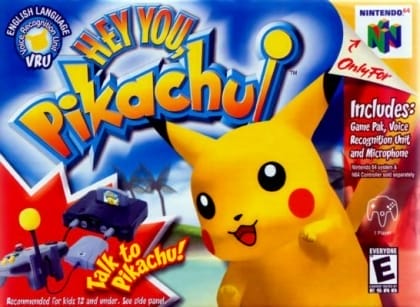
Play Now
Important Control Tip: If keys are unresponsive after the game loads, please [click on the game window] to activate input focus.
How to Play
How to Play
Press Play Now button to start the Nintendo 64 emulator in your browser.
Control guide merged: use keyboard on PC and on-screen buttons on mobile.
🖥️ PC Controls
| Action | Key (Default) | Description |
|---|---|---|
| D-Pad | ↑↓←→ | Movement control |
| A Button | Z | Confirm / Attack |
| B Button | X | Cancel / Jump |
| Select | V | Select button |
| Start | Enter | Start button |
📱 Mobile Controls
- Movement
- D-pad (left side)
- Action Buttons
- A/B or X/Y/A/B (right side, varies by platform)
- Start / Select
- Center of screen
- Left-Handed Mode
- Swap layout in Control Settings
Mobile Controls: After starting the game, tap the menu in the top-right corner → "Control Settings" to view full key mappings and customize controls.
From Wikipedia, the free encyclopedia:
Source: Wikipedia
About This Game
Gameplay
The main character is asked to test out the PokéHelper, a new device of Professor Oak's that is used to talk to Pokémon. The player then meets a wild Pikachu and befriends it. Once the player earns Pikachu's trust, it will come and live in the player's house. There are three different activity days: Pikachu's Daring Days, Discovery Days, and Play Days. Each day has a different objective (e.g. collecting food, going fishing) and the player can earn Pika Points, the currency used at Abra's Shop to unlock new items.
History
Hey You, Pikachu! was first demonstrated at Nintendo Space World '97.[4] Originally, the game was to be titled Pikachu VRS in North America, but it was changed for marketability reasons.[5]
More details about this game can be found on Wikipedia article .
Comments
Log in to leave a comment.
Sign InNo comments yet. Be the first!
Related Games

Pokémon Crystal
Breath of Fire II
Breath of Fire

Pokémon Fire Red
Dragon Quest VI: Realms of Revelation